On this page
add_circle
Creating Groups
How to create and configure new groups
Creating a Group
Access the Groups Section
- Navigate to your organization
- Expand the “Settings” menu
- Click on “Groups”
Create New Group
-
Click the “Create Group” button
-
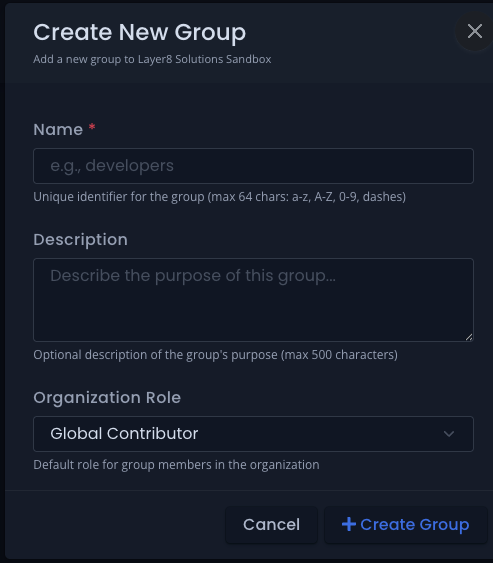
A modal will open with the following fields:
Click the image to enlarge
Group Properties
- Name - Unique identifier for the group (max 64 characters: a-z, A-Z, 0-9, dashes)
- Description - Brief description of the group’s purpose
- Organization Role - Choose the role this group will have:
- Global Contributor
- Global Viewer
-
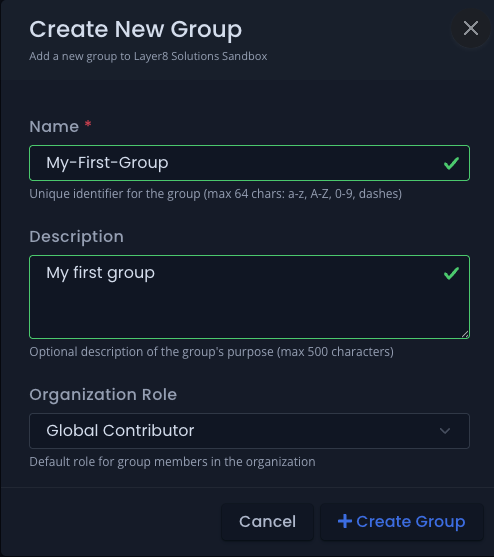
Click “Create Group” to finish
Click the image to enlarge
-
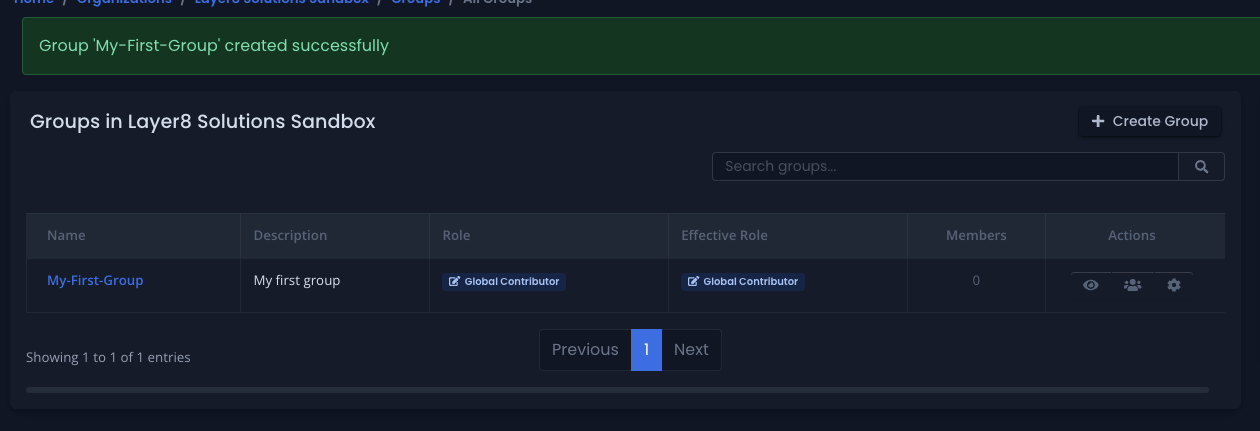
The group is now created and ready to have members added.
Click the image to enlarge
Next Steps
After creating a group, you’ll typically want to:
Group names must be unique within your organization. Choose descriptive names that clearly indicate the group’s purpose.