Delete and restore Tracked Workspace
Delete and restore a Tracked Workspace
Delete Tracked Workspace
To delete
-
Go to the Tracked Workspace that you want to delete. Tracked Workspaces can be found under your organization.
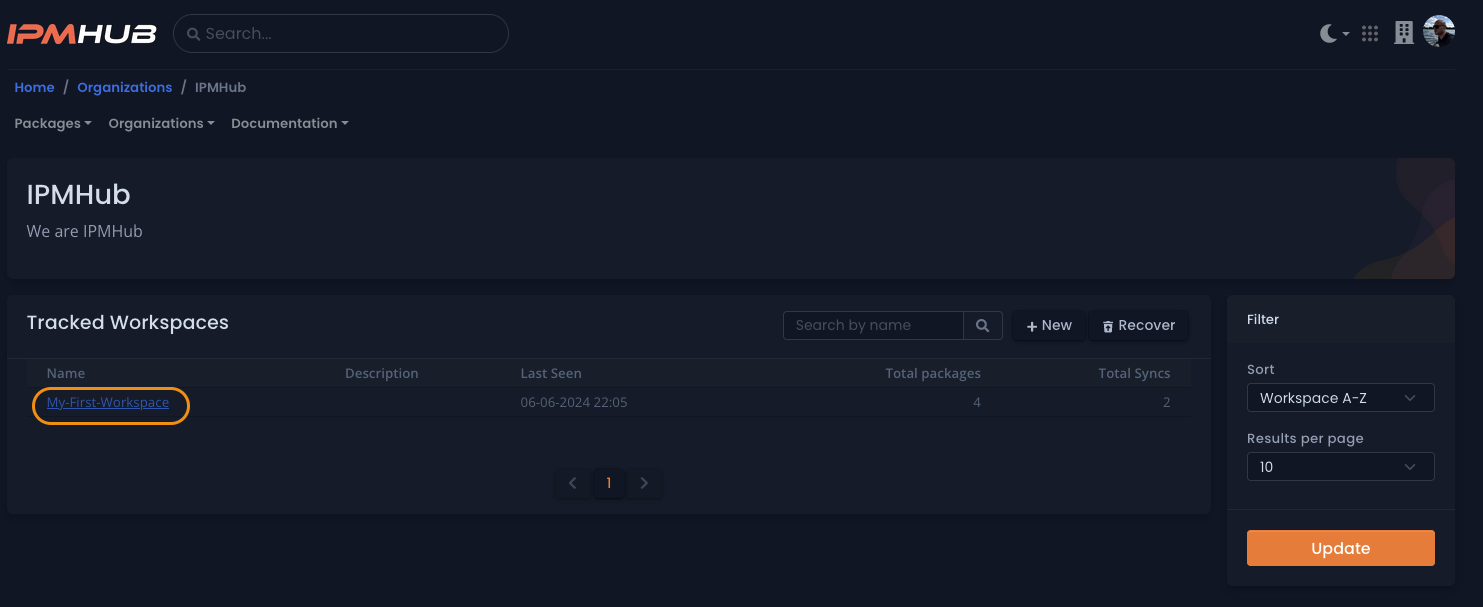
Click the image to enlarge
-
Click the button
Delete workspace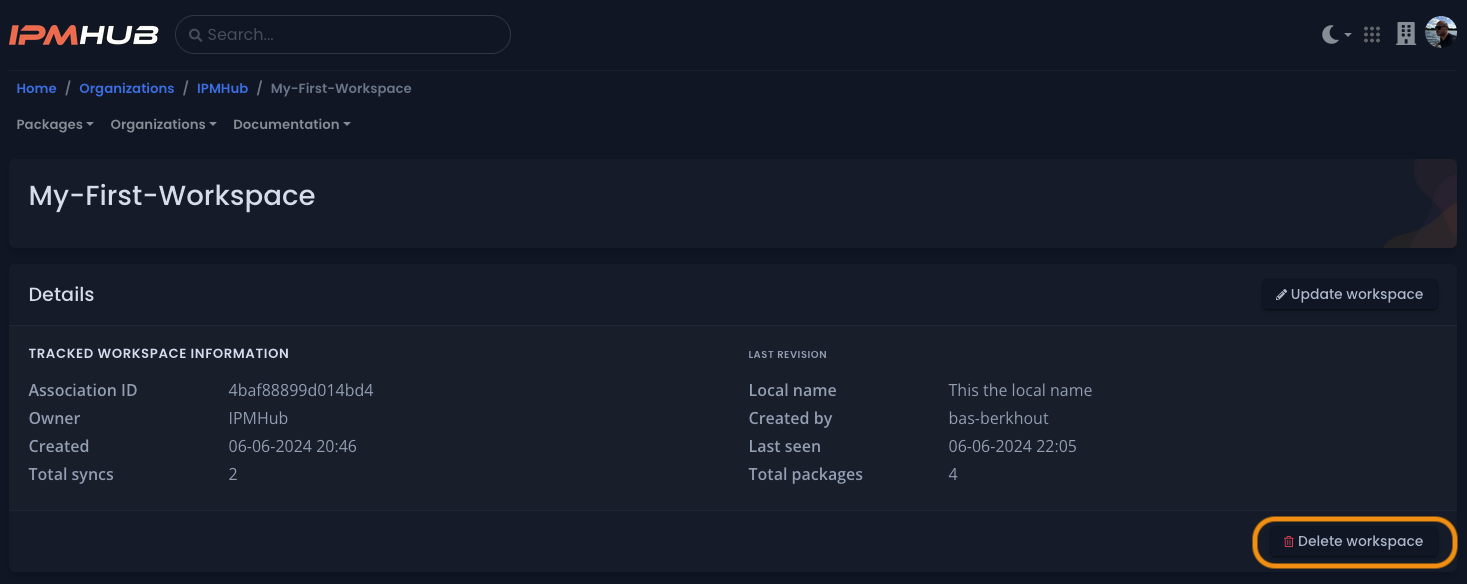
Click the image to enlarge
-
Confirm the deletion of the
Tracked Workspace.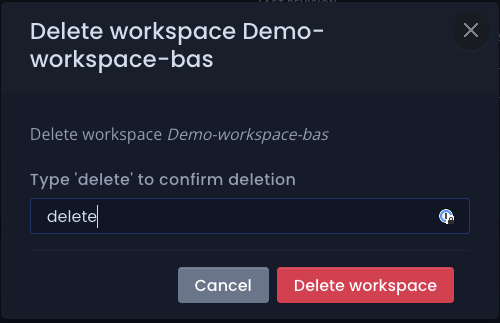
Click the image to enlarge
Recover Tracked Workspace
-
Go to the organization is the owner of the
Tracked Workspacethat you want to recover.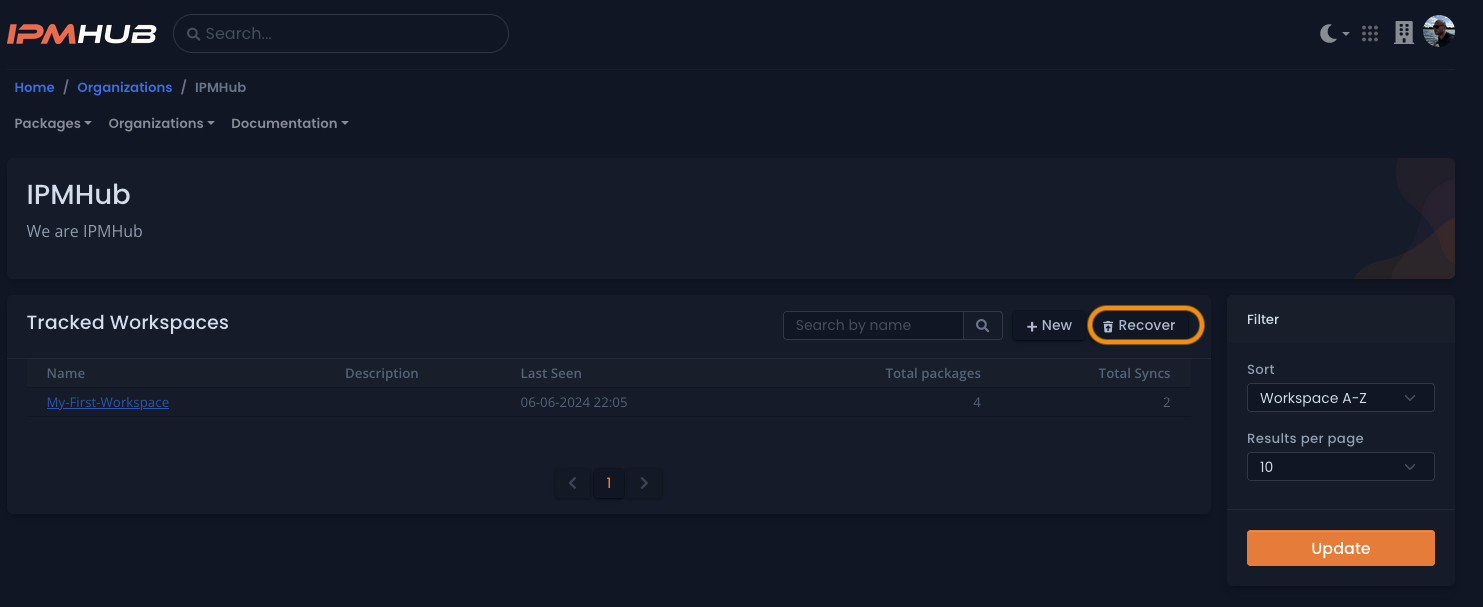
Click the image to enlarge
-
Click
recover -
Click the
undobutton for the workspace that you want to restore.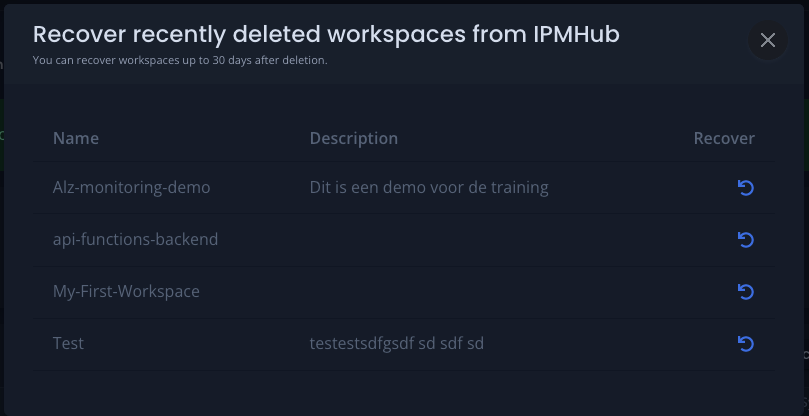
Click the image to enlarge
-
Close the Window, after that the
Tracked Workspacerestored with all previous setting.